Design Automation: From Custom Plugins to Full Pipelines
The Case for Design Automation
In AEC, vast amounts of time are spent on repetitive documentation, manual coordination checks, and data entry. Design automation targets these bottlenecks with custom-built tools that compress months of manual work into days. The key is building tools tailored to your exact workflow, not adapting your workflow to generic software.
Custom Plugin Development
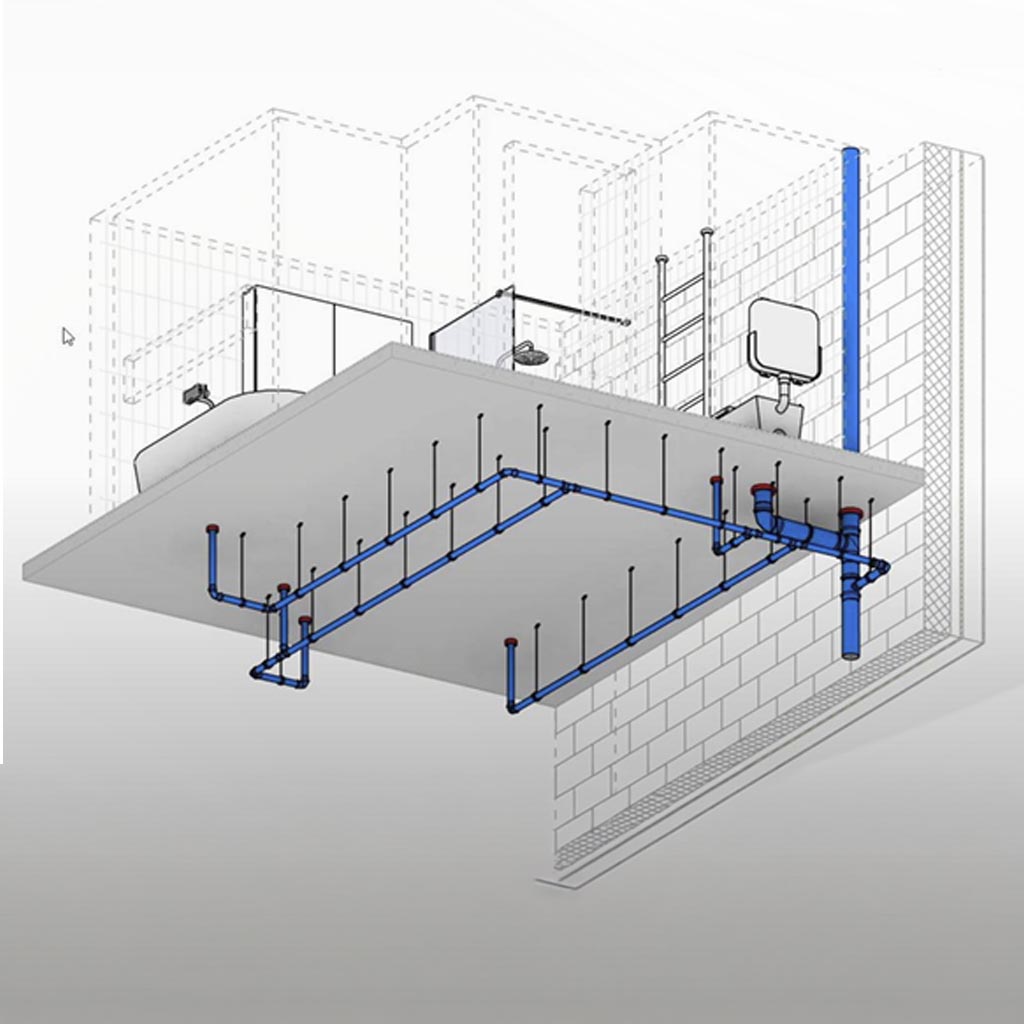
Custom Revit plugins and pyRevit toolbars provide teams with one-click automation for tasks like plumbing fixture placement (hangers and fire collars based on supplier specifications), automated sheet and view generation, and dimensioning. These tools embed directly in the software your team already uses, minimising training overhead.
Fabrication Drawing Automation
One of the highest-impact applications is fabrication drawing automation. Custom Revit families for curtain wall systems can automate the creation of fabrication drawings, producing outputs 20-30x faster than traditional methods. These systems include embedded quality checks, ensuring every drawing meets standards before it leaves the office.
Auto-Documentation Systems
Auto-documentation solutions automate the generation of views, sheets, and dimensions for selected in-project elements. Instead of manually creating hundreds of detail drawings, a single command produces complete documentation sets with consistent standards, proper view references, and accurate dimensions.
Building Reusable Automation Pipelines
The real power of design automation comes from building reusable pipelines that work across your entire project portfolio. A fabrication automation tool built for one project should serve every future project in your pipeline. This is how automation compounds value over time.
Related case studies
Need help implementing this in your projects?
We build production-grade systems, not theoretical frameworks. Let's discuss your specific challenges.