Design Automation: From Custom Plugins to Full Pipelines
Design automation replaces repetitive documentation, fixture placement, and fabrication drawing work with custom-built Revit plugins, pyRevit toolbars, and Grasshopper scripts tailored to a firm's exact workflow. Fabrication drawing automation for systems like curtain walls can run 20-30x faster than manual methods, with embedded quality checks built in. The greatest value comes from building reusable pipelines that serve every future project rather than one-off scripts.
The Case for Design Automation
In AEC, vast amounts of time are spent on repetitive documentation, manual coordination checks, and data entry. Design automation targets these bottlenecks with custom-built tools that compress months of manual work into days. The key is building tools tailored to your exact workflow, not adapting your workflow to generic software.
Custom Plugin Development
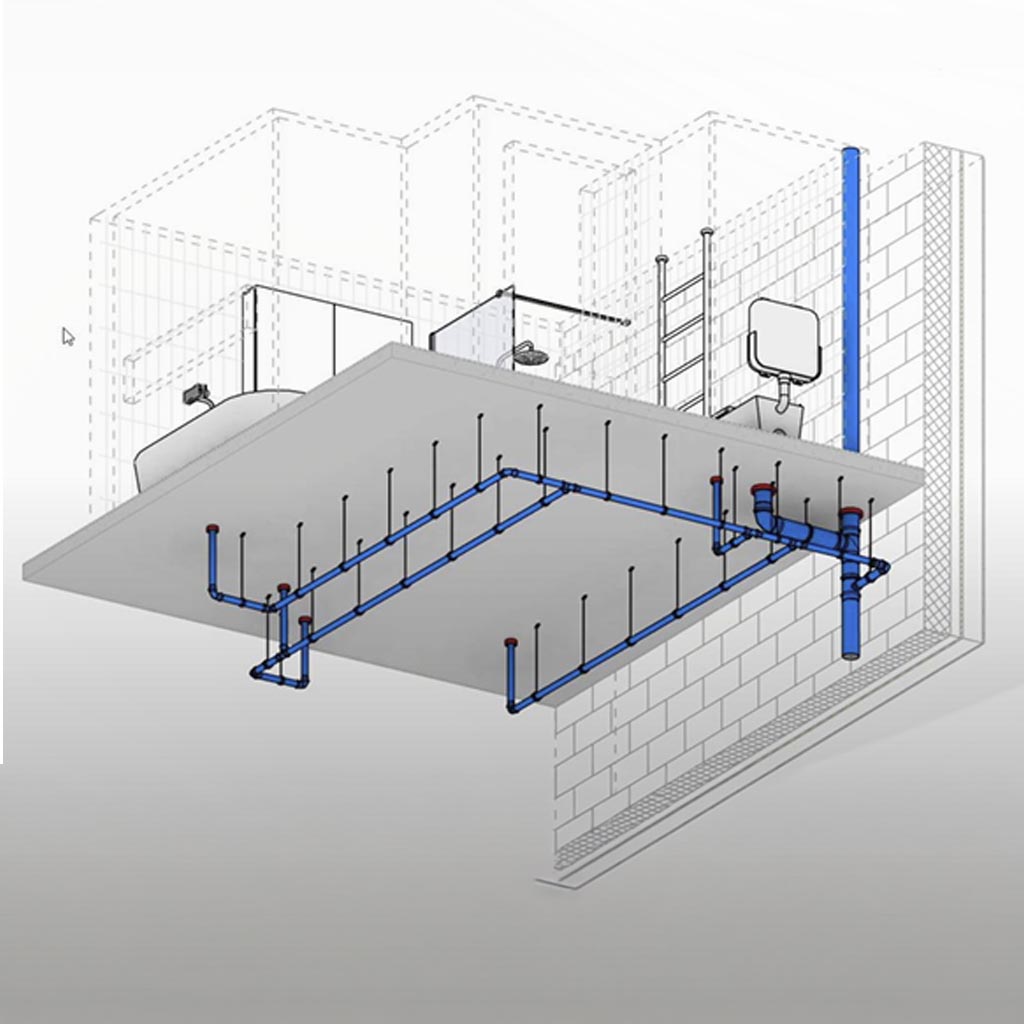
Custom Revit plugins and pyRevit toolbars provide teams with one-click automation for tasks like plumbing fixture placement (hangers and fire collars based on supplier specifications), automated sheet and view generation, and dimensioning. These tools embed directly in the software your team already uses, minimising training overhead.
Fabrication Drawing Automation
One of the highest-impact applications is fabrication drawing automation. Custom Revit families for curtain wall systems can automate the creation of fabrication drawings, producing outputs 20-30x faster than traditional methods. These systems include embedded quality checks, ensuring every drawing meets standards before it leaves the office.
Auto-Documentation Systems
Auto-documentation solutions automate the generation of views, sheets, and dimensions for selected in-project elements. Instead of manually creating hundreds of detail drawings, a single command produces complete documentation sets with consistent standards, proper view references, and accurate dimensions.
Building Reusable Automation Pipelines
The real power of design automation comes from building reusable pipelines that work across your entire project portfolio. A fabrication automation tool built for one project should serve every future project in your pipeline. This is how automation compounds value over time.
Frequently asked questions
What is design automation in the context of AEC?
Design automation uses custom-built tools such as Revit plugins, pyRevit toolbars, and Grasshopper scripts to target repetitive bottlenecks like documentation, manual coordination checks, and data entry. Rather than adapting a team's workflow to generic software, the tools are built around the exact workflow the team already follows, compressing months of manual work into days.
How much faster is automated fabrication drawing production compared to manual methods?
Fabrication drawing automation, such as custom Revit families for curtain wall systems, can produce outputs 20-30x faster than traditional manual methods. These systems also include embedded quality checks so every drawing meets standards before it leaves the office.
What tasks can custom Revit plugins and pyRevit toolbars automate?
Custom Revit plugins and pyRevit toolbars can provide one-click automation for tasks such as plumbing fixture placement, including hangers and fire collars based on supplier specifications, automated sheet and view generation, and dimensioning. Because they embed directly into the software a team already uses, training overhead is minimised.
What is an auto-documentation system and how does it work?
An auto-documentation system automates the generation of views, sheets, and dimensions for selected elements within a project. Instead of manually creating hundreds of detail drawings, a single command produces complete documentation sets with consistent standards, proper view references, and accurate dimensions.
Why build reusable automation pipelines instead of one-off scripts?
A reusable automation pipeline built for one project can serve every future project in a firm's pipeline, rather than being discarded after a single use. This is how design automation compounds in value over time, turning a single fabrication or documentation tool into a standing asset across an entire project portfolio.
Related case studies
Need help implementing this in your projects?
We build production-grade systems, not theoretical frameworks. Let's discuss your specific challenges.