How parametric design and BIM are advancing prefabricated housing
Australia needs more homes, and it needs to build them faster. Prefab and modular construction are part of the solution. The Australian Building Codes Board says prefab and modular homes can be up to 50% faster to build than traditional methods. Governments are backing the shift too, with a national voluntary certification scheme now in development. But prefab only works when production data is accurate, because there’s little room to fix mistakes on site. That’s where parametric design and BIM help, creating a digital thread from design through to installation.
What is parametric design?
Traditional drawings describe one fixed outcome. If a living room gets 300 mm wider, someone would need to redraw the plan, elevations, sections, and each schedule that depends on them. Parametric design works differently. Instead of drawing the outcome, you define the rules that produce it - for example, which walls sit on a grid, which panels can’t exceed a certain width, and which windows must stay centred in a room. When an input changes, the rest of the model adjusts accordingly to stay within those rules. For housing, this means the house type stops being a fixed set of drawings and becomes a small yet adaptable system. Bedroom counts, façade options, roof forms and lot widths become inputs, rather than new projects.
Why prefab needs this more than site-built housing
On a traditional site, plenty of small decisions get made late, and plenty of small problems get resolved with experience and the right judgement. Prefab moves most of that work into a factory, which is exactly why it can be faster and more consistent. It also means decisions have to be made earlier and made correctly. A few things make prefab especially dependent on good data: Tolerances are tighter: Panels and modules are built to the millimetre and they have to meet components which were defined somewhere else. Variations multiply quickly: A range of five house types with a handful of options can each add up to hundreds of combinations, and everyone needs accurate drawings, quantities and cutting data. Errors travel: A mistake in the model becomes a mistake in the factory, then on the truck, then on site, where it is slowest and most expensive to fix. Compliance happens in two places: Inspections are split between the factory and the site, so documentation must hold up in both. This is where using digital modelling for prefab becomes powerful. The digital model becomes part of the production system, not just a record of the design.
From code to assembly: what the digital thread looks like
In practice, the workflow tends to move through four stages, with each one handing clean, structured information to the next. 1. Configure The product is set up as a set of rules. This includes things like house types, approved options, structural spans, panel limits, and material standards. Designers and sales teams are easily able to choose from configurations the factory already knows how to build, which speeds up design decisions and reduces any unnecessary rework. 2. Model Each configuration generates a coordinated BIM model. Because it is built from the same families and standards each time, it can be checked for clashes, measured for a bill of quantities, and reviewed against internal and code requirements before anything is ordered. 3. Document and fabricate The model then produces what the factory needs: shop drawings, panel layouts, schedules, and, in many cases, the cutting files that drive CNC machinery directly. Much of this can be automated, so a design change flows through to the documentation instead of being redrawn by hand. 4. Track and assemble Once components are made, the same data can follow them out of the factory. QR or RFID tags link each panel or module back to the model, so deliveries can be sequenced to match installation, and each piece can be checked against its digital specification.
What do these changes mean for builders and designers?
The benefits add up through small improvements along the process chain. Variations are made without having to start again. Offering a different façade or an extra bedroom becomes a configuration choice, not a new documentation package. Gaining earlier cost certainty. Quantities come straight from the model, so pricing reflects what you will build. Having fewer surprises on site. Clashes and dimensional issues are resolved on screen, where fixing them takes minutes rather than days. Ensuring consistent documentation. Every home in a range is documented to the same standard, which also makes compliance evidence easier to pull together. Receiving a cleaner handover from sales to production. What was sold is exactly what the factory receives.
What it doesn't solve
It's worth being clear about the limits. Parametric design and BIM won't fix inconsistent approval pathways between states, and they won't create the steady pipeline of demand that factories need to run efficiently. The Productivity Commission makes a related point about scale: prefabricated components "often need to be manufactured at a large scale to be cost-effective", and achieving that scale "has proved difficult in Australia so far", with stakeholders telling the Commission that prefab construction can cost "similar, or more expensive than onsite construction" (Housing construction productivity: Can we fix it?, p. 30). They also do not replace good design. A system can only repeat the decisions built into it, so the quality of the rules matters as much as the technology that runs them. What the digital thread does is make sure that good decisions, once made, carry through to every home built from them.
Where to start
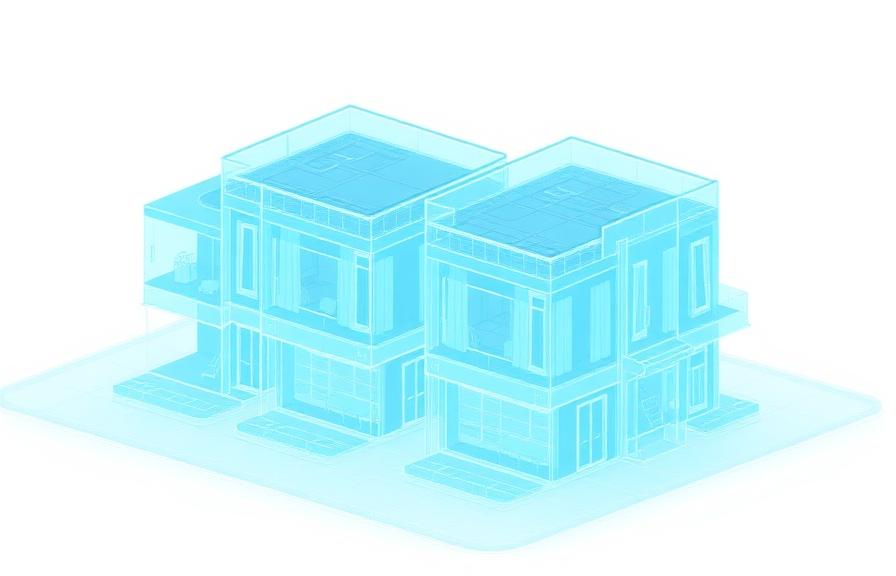
For most builders, the right starting point isn't a factory or a robot. It's the information foundation, such as templates, family libraries, and naming standards built around the homes you already build most often. In our work with volume builders, we've found it helps to begin with the most popular house types and modelling them properly, as master models which set the standard for everything that follows. For one volume builder's design team, that meant detailed Revit models of their two most popular townhouse designs, which now serve as the basis for their future modelling and documentation. From there, configuration and automation can be layered step by step, without stopping active production. Our CAD to BIM migration playbook walks through that phased approach.
Frequently asked questions
Is parametric design the same as BIM?
No. BIM (Building Information Modelling) is the process of creating and managing information about a built asset across its lifecycle; the digital model is one output of that process. Parametric design is a way of generating geometry from rules. They work best together, with parametric rules creating the design and BIM carrying it through coordination, documentation, and fabrication.
Do we need our own factory to benefit from this?
No. The same approach helps builders who work with external prefab manufacturers or panel suppliers, and volume builders who still build on site. Clearly defined, rule-based models make it easier to share accurate information with any fabrication partner.
What software is involved?
Commonly, Revit is used for BIM, with Grasshopper, Dynamo or custom tools handling the parametric and automation logic. The right mix depends on your existing setup, and in most cases the aim is to work alongside the tools your team already uses.
Can this help with compliance and certification?
It can support it. Consistent, well-structured models and documentation make it easier to show how a product meets its requirements, and prepare for proposed schemes such as the ABCB's National Voluntary Certification Scheme for Manufacturers of Prefabricated Construction. Formal compliance and certification still sit with the relevant certifiers and authorities.
We're still working in CAD. Is this out of reach?
Not at all. Many volume builders start with a phased move from CAD to BIM, running pilot projects alongside their existing workflows before moving across fully. The parametric and automation layers come once that foundation is in place.
Related services
Related case studies

Need help implementing this in your projects?
We build production-grade systems, not theoretical frameworks. Let's discuss your specific challenges.